Fast Reconfiguring Network Topology (FRNT)
FRNT is a task that allows for configuration of FRNT rings in the network.
Interface Components
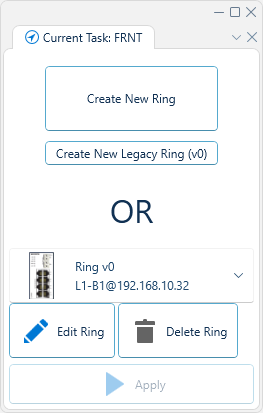
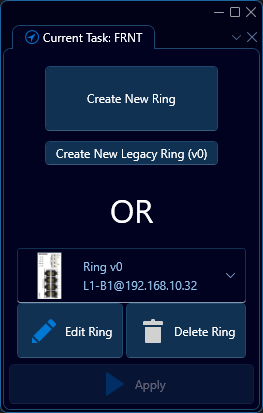
To create a new FRNT ring, click either Create New Ring or Create New Legacy Ring (v0). To edit an existing FRNT ring, select the ring in the drop down menu, and click Edit Ring.
RiCo (Ring Coupling) is not configured here. Please see Ring Coupling for documentation
When creating new rings, or editing existing ones:
- To add devices to a ring: select devices in the topology and click Add
- To remove devices from a ring: select devices in the list of devices in the right, and click Remove
- One device must be designated the role of focal point in the drop down menu Focal Point Device
- To apply changes: click Apply
- To propose ports based on current topology: click Propose Ports
- To manually specify ports: select ports per device
- To abort operation: click the button in the top right corner with a cross - that will take you back to the initial FRNT configuration tab.
FRNT v0
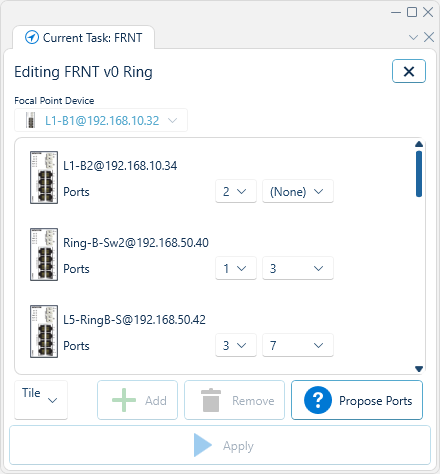
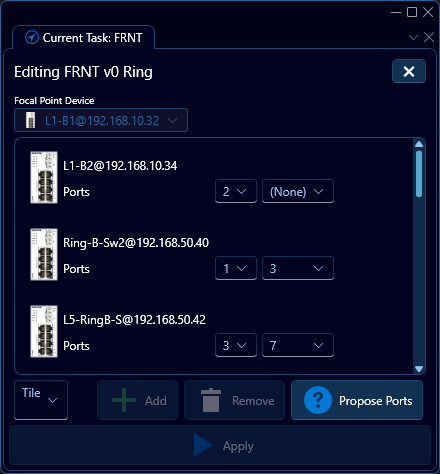
Focal point device:
- No focal point options are applicable
Member devices:
- M port
- N port
Typically, all devices must have an M and and N port specified. The exception is so called "horse shoe" rings, where two end devices are allowed to have only one port configured.
FRNT v2


Focal point device:
- Ring ID must be specified, and it must be unique across all devices. WeConfig will emit an error if it detects that it is not unique. This field is not editable, it is only editable during creation. Once set, it cannot be changed. To change the ID, one must first delete the ring configuration across the entire device, and then create it again, but with the new ID.
- Optionally specify the blocking port. Note that this is only possible once you've set the focal point's ring ports. Until then, only Auto will be the only available option.
- Optionally change the ring interval
- Optionally enable guarded recovery
Member devices:
- First port
- Optionally override the default hello time
- Second port
- Optionally override the default hello time
Typically, all devices must have both ports specified. The exception is for so called "horse shoe" rings, where two end devices are allowed to have only one port configured