Logging
Logging configuration is a staged task that allows for configuring syslog behavior on selected devices.
Interface components
The logging task is divided into three stages, Version selection, Devices and Configuration.
Version
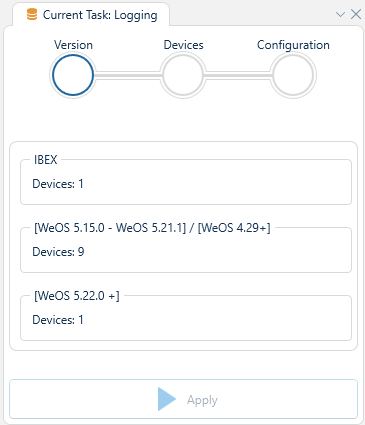
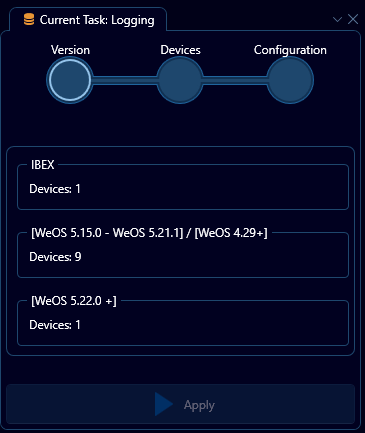
The first stage is called Version, and presents you with a choice for which variant of syslog configuration, amongst the ones available in the current network, to set up. The reason for this view is that different device ranges and firmware versions support vastly different lines of configuration.
Click on the relevant version you want to configure to progress to the next stage.
Devices
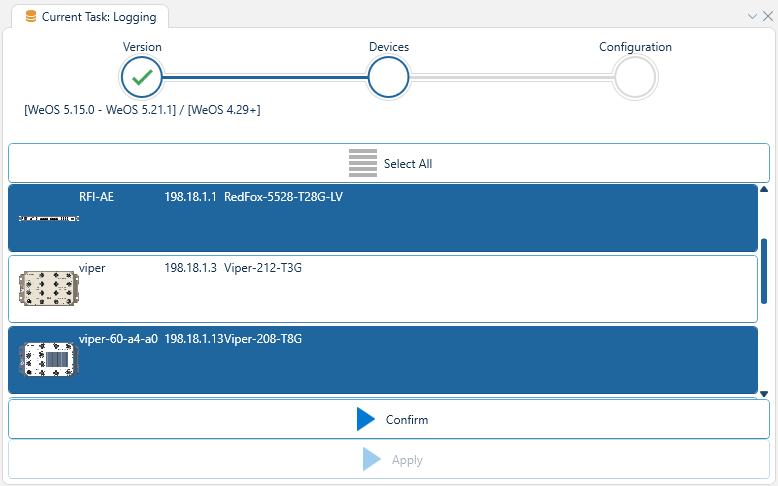
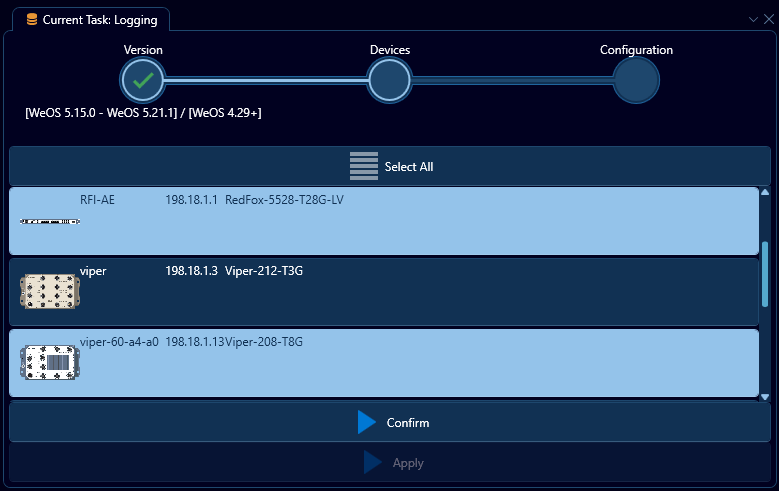
The second stage is called Devices, and presents a list of devices compatible with the selected version of syslog configuration. Any devices already selected in the topology will be preselected in this list, but the selection may be changed before procceeding.
Click on the button labeled "Confirm" to proceed.
Configuration
The final stage is called Configuration, and provides you with an interface to set up the relevant syslog configuration on the selected devices. How this view appears may drastically vary depending on the Version selection.
[WeOS 5.15.0 - WeOS 5.21.1] / [WeOS 4.29+]
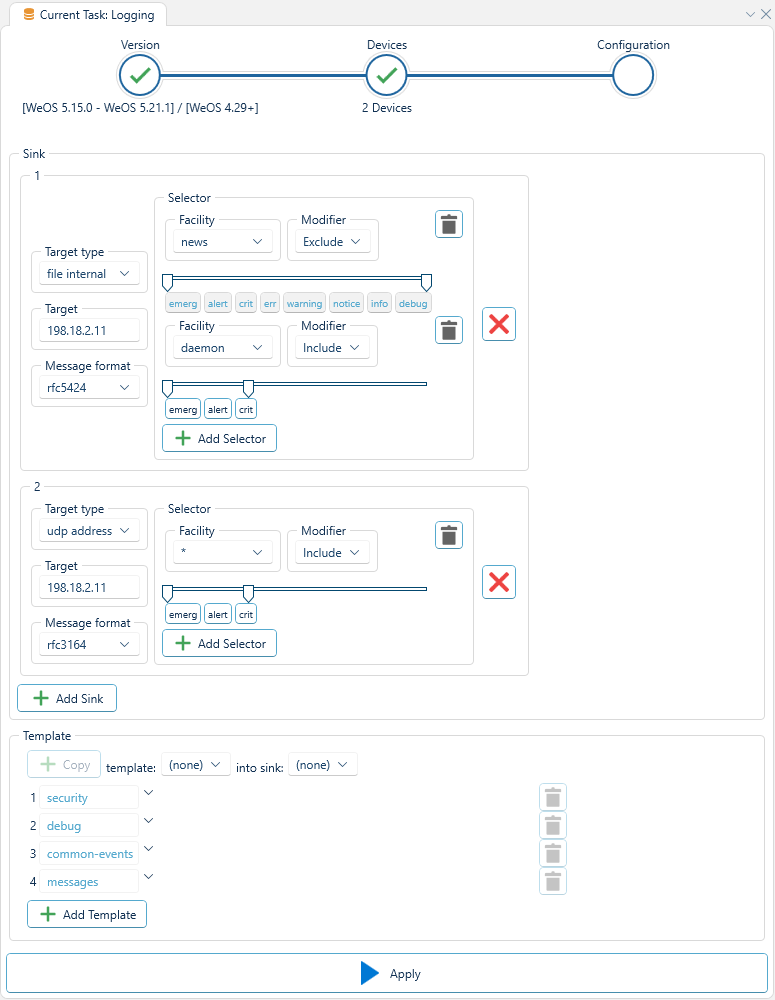
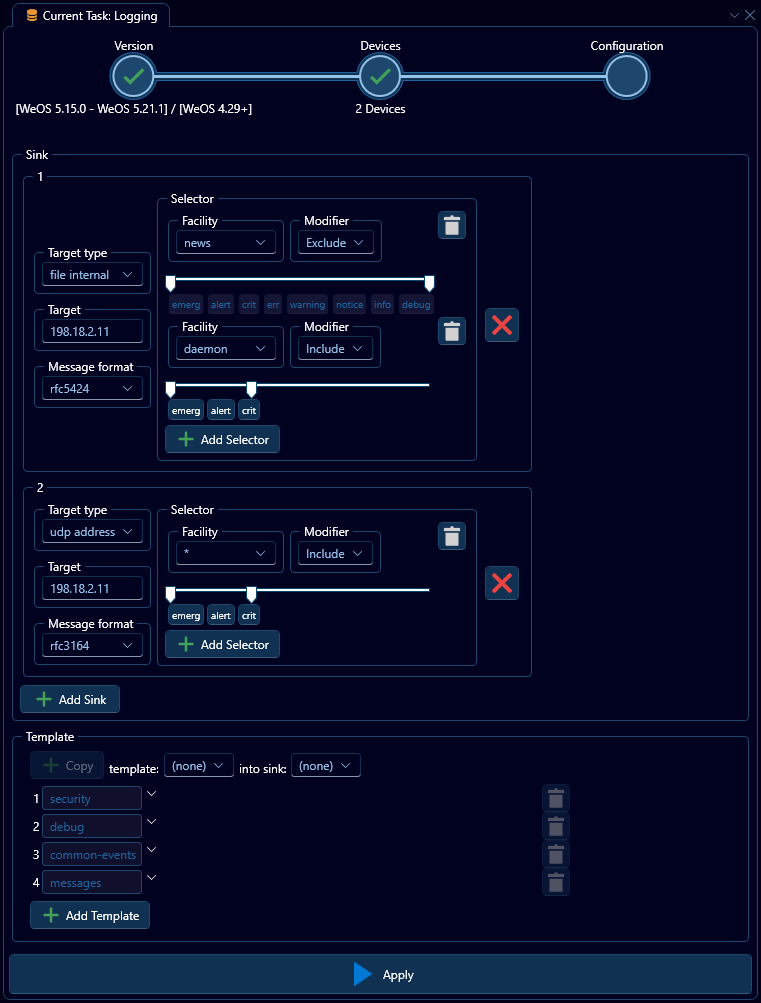
When configuring logging for WeOS 5.15 and up to 5.21.1. the interface may appear as above. Therein a list of sinks serve as the primary means of configuration, which can be added to via the "Add Sink" button near the bottom left of the interface. Additionally, beneath the list of sinks is a collapsed-by-default template list, which allows you to quickly setup some common sink parameters on targeted sinks.
The configuration options for this version of logging is as follows:
| Option | Description |
|---|---|
| Target Type | Where the log messages are sent, see Target types. |
| Target | Additional parameter depending on Target type. |
| Message format | The syslog format, either rfc3164, rfc5425 or bsd. |
| Selector | Which produced syslog messages are sent to this sink, see Selectors |
Target Types
Four target types are available for WeOS 5.15 to 5.21.1:
| Type | Description | Target parameter |
|---|---|---|
| udp address | A specific IP address is the target | Valid IPv4 Address, e.g 192.168.0.1 |
| udp dhcp | The target is determined via DHCP | N/A |
| file internal | The target is an internal on-device file | A valid file path, relative to the systems log file folder, e.g my/logs/mysyslog |
| file external | The target is an external media device | A valid file path, relative to the target media |
No two sinks can share the same target.
When specifying file internal/external as the target, any parent directories must already exist on the device.
Selectors
A selector in the context of syslog configuration for WeOS 5.15 to WeOS 5.21.1 is a compination of three parameters. A facility, a modifier and a severity matcher. They can be observed in the image above under the "Selector" group for each sink.
Facilities
A facility specifies the area of origin for the message, and the selector will match only messages belonging to the specified facility.
WeOS 5.15 to WeOS 5.21.1 provides the following facilities:
| Facility | Description | Facility | Description |
|---|---|---|---|
| kern | Kernel log messages | ntp | Time-protocol events |
| user | User-level messages | security | Log audit, for audit trail |
| Unused | console | Log alert | |
| daemon | System daemons | local0 | Alarm sub-system |
| auth | Security and Authentication messages | local1 | Unused |
| syslog | Unused | local2 | PPP |
| lpr | Unused | local3 | Unused |
| news | Unused | local4 | OpenVPN, IPsec |
| uucp | Unused | local5 | Reserved, OEM customer specific |
| cron | Unused | local6 | Unused |
| authpriv | Unused | local7 | Unused |
| ftp | Unused | * | Any facilities |
Modifier
A modifier is a simple boolean, which specifies the selector as either an inclusion filter or an exclusion filter. If specified as Include any syslog message that matches this selector will sent to the target sink. If specified as Exclude any syslog messages that matches this selector will not be sent to the target sink.
Severities
Lastly, a selector consists of a severity selector, which may be used to narrow the range of messages to only those of a certain severity by dragging the slider from the right or respectively.
The available severities are as follows:
| Severity | Description |
|---|---|
| emerge | Emergency, System Level service only |
| alert | System level service only |
| crit | Critical, System level service only |
| err | Severe error, a daemon/service may restart |
| warning | Significant problems, such a failure to reach Radius servers |
| notice | General log messages, such as successful authentication |
| info | Informational, less important messages |
| debug | Developer/low-level debug messages |
[WeOS 5.22.0 +]
From WeOS 5.22.0 and forwards, logging configuration has been expanded with several new options, with a subset depicted beneath:
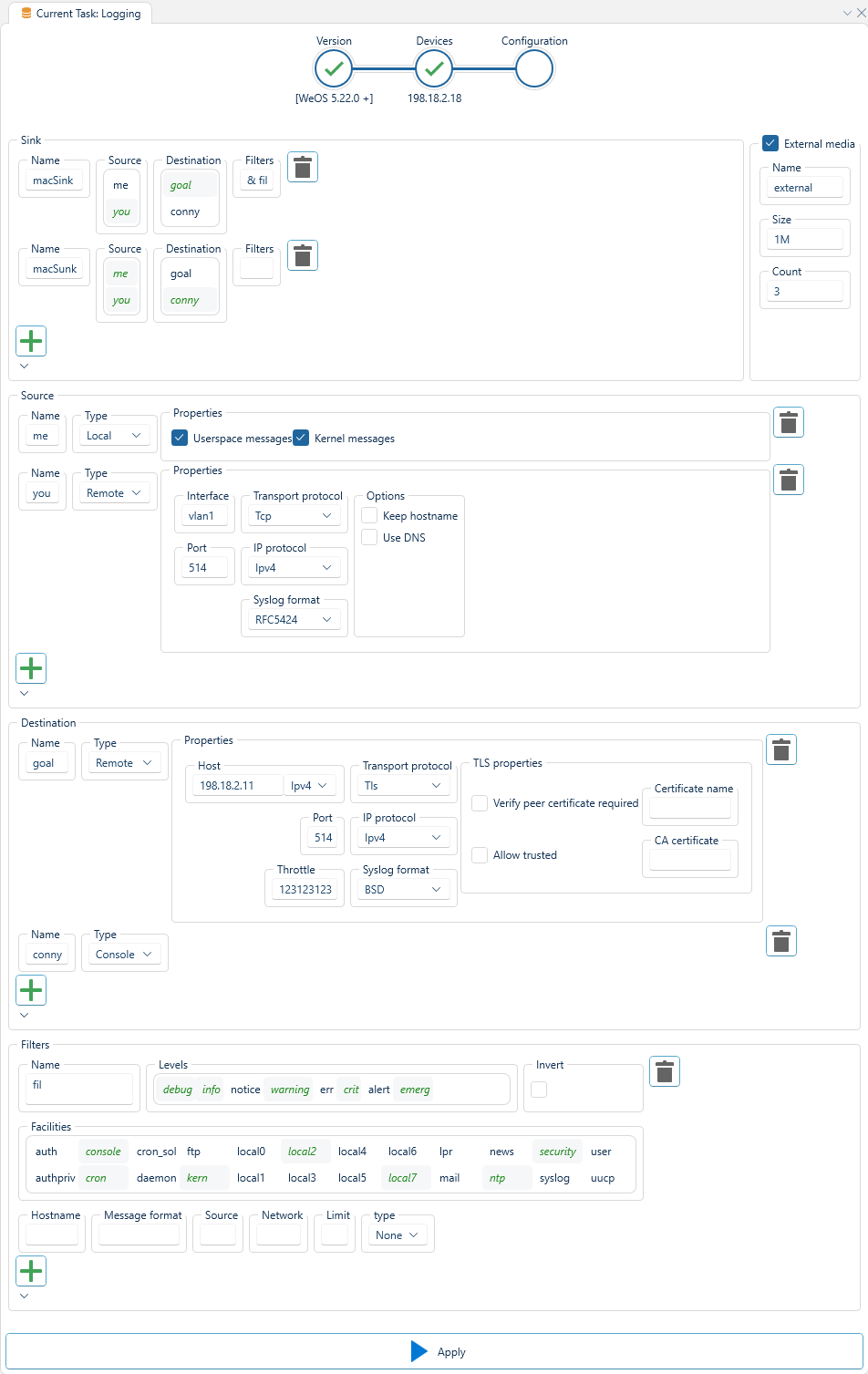
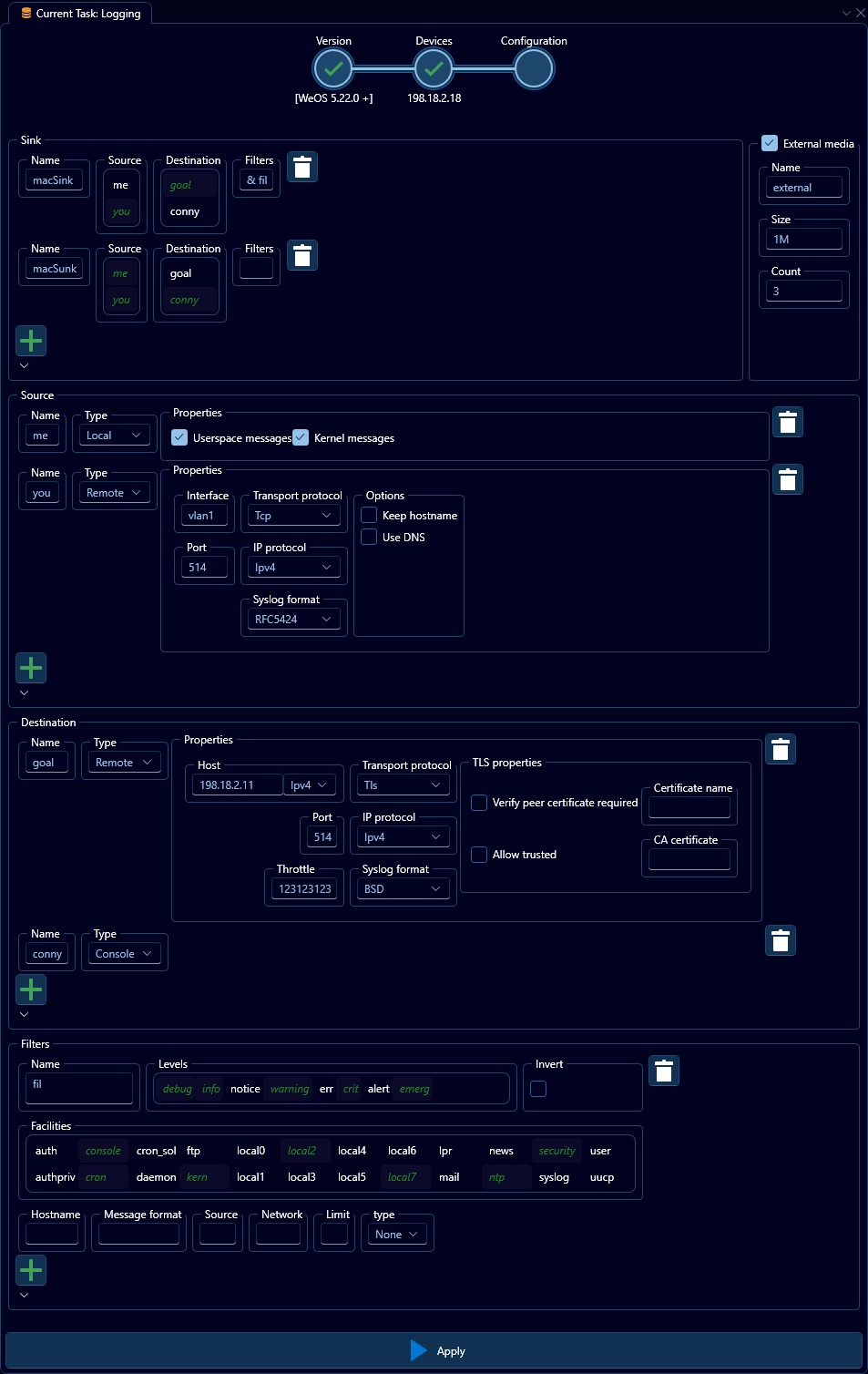
Here, the interface is divided into five collapsable sections, Sinks, External Media, Sources, Destinations and Filters. In a slight deviation, let us start from the bottom:
Filters
Down at the last section you will find the filter specification, which is a list of zero-or-more filters specified for the syslog configuration. These function similarly to selectors in WeOS 5.15 to WeOS 5.21.1, but with the ability to specify a name for usage in sinks.
Destinations
In the second section from the bottom, you will find destination configuration, which sets up zero or more targets for sink composition. These share some similarity with target types in WeOS 5.15 to WeOS 5.21.1, as they dictate where generated syslog messages are delivered. However, they contain different options, first and foremost a name. Secondly, there are now three main target types: Console, File and Remote.
Console destination
The simplest of the destinations to configure, as it requires no further details, when a sink uses this destination, messages from the sinks sources will be logged to the console.
File destination
This destination type is used to send syslog messages to a local on-device file or connected media, such as a USB or SD-card. The media name may be specified either as an external media configured on the device, or as internal which will consider the file name relative to the /log/ folder.
When using internal media, any log messages stored there will be lost upon reboot.
Additionally, you may specify a log rotation policy by setting the maximum size of each log file, the number of log files to retain, and the number of compressed log files to retain for these kinds of destinations.
Remote destinations
This destination type is used to send syslog messages to some external location, by specifying a host, port, protocol and format. Host may be specified either via host name, for DNS lookup, DHCP, a static IPv4, or a static IPv6 address. The protocol may be either UDP, TCP or TLS, where choosing TLS will allow you to specify certificates to use for trust. The formats configurable are the same as in WeOS 5.15 to WeOS 5.21.1.
When using UDP or TCP to send syslog messages, they will be sent in clear text and can be read by any interceptor.
Sources
Second from the top you will find the sources section, where the producers of syslog messages can be configured. These can either be local, on-device sources, and may include userspace or kernel messages if so, or they may be remote sources, in which case their port, protocol and format parameters must match the relevant destinations configured on other devices.
External media
To the right at the top you will find a small section dedicated to external media configuration, where you may configured how the log file is handled on the external media, filesize and count may be configured here.
Sinks
Lastly, you will find Sinks at the very top of the interface, a sink is a named configuration that combines zero-or-more sources with zero-or-more destinations and zero-or-more filters. Any selected sources and destinations will be marked in green. And the sink depicted above as sink1 can be read as "recieve syslog messages from the local and remote source, but not the other source, and if they match the filter specified by hideNonEssential, send them to the aggregator destination". Of special note is perhaps the filters box, where applicable filters are combiend together using either &, for and, or |, for or.
Leaving the filter box empty is the equivalent to "any"
Ibex
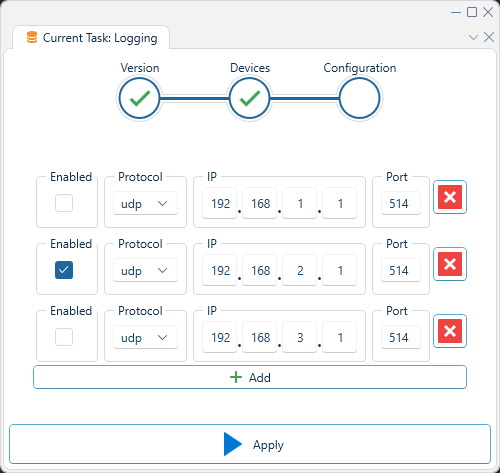
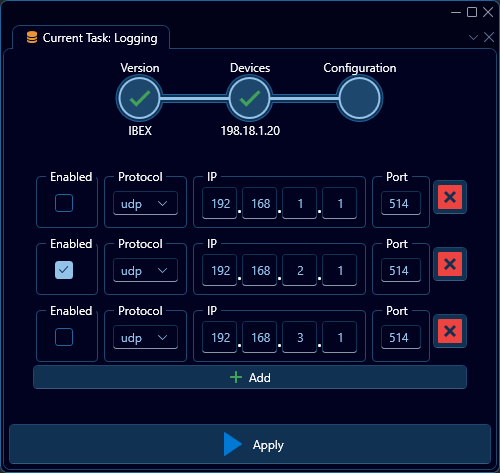
When configuring logging for Ibex, the interface may appear as above. Therein a simple list of sinks serve as the primary means of configuration, which can be added to via the "Add" button near the bottom of the interface.