Reports
This licensed panel allows for the generation of PDF reports about the state of the current project. The image below depicts the typical user interface for this panel.
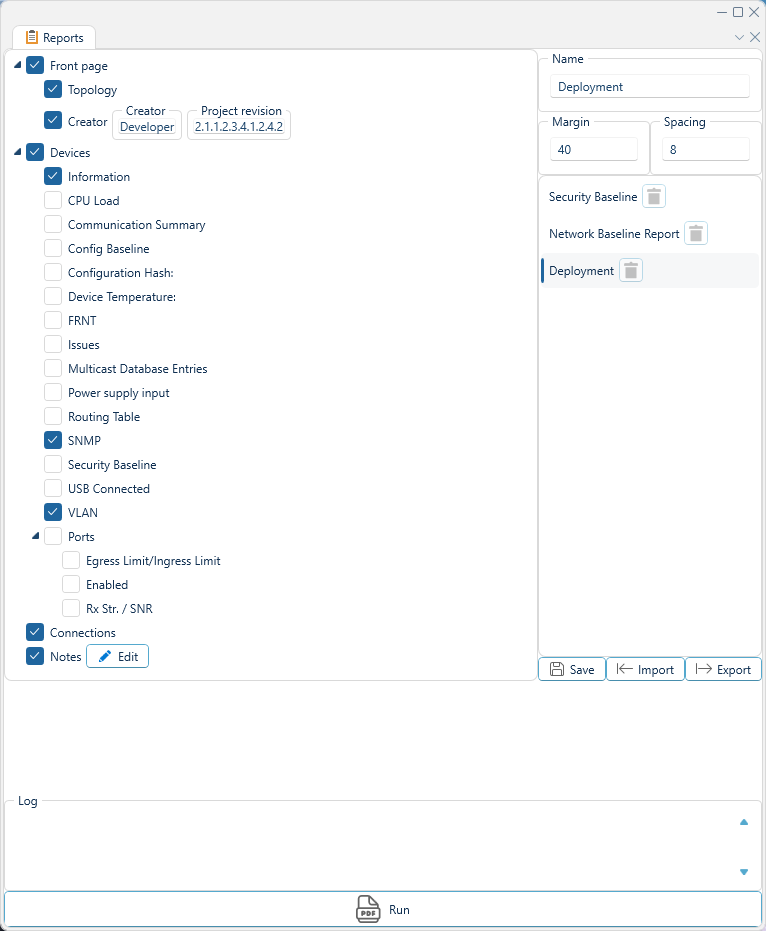
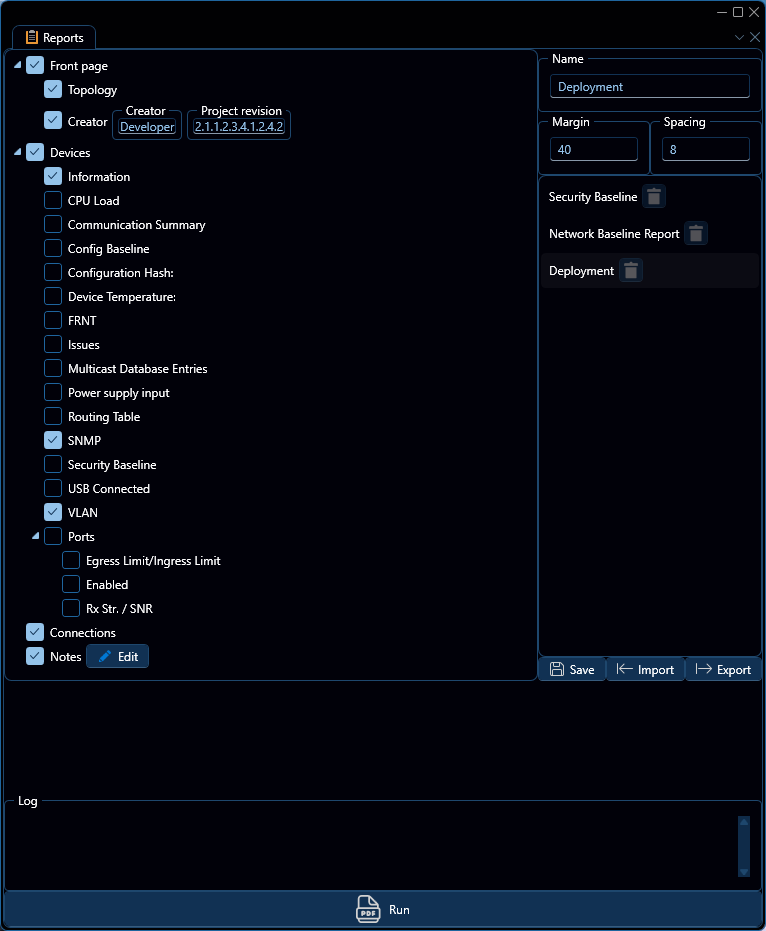
Interface components
Content Tree
On the left side of the interface, you will find a tree listing the contents that will be included in the report. This tree allows you to select and deselect specific items to be included in the report. Some of these components, such as Creator and Notes, allow you to provide specific information to be included in the report.
Options
In the top right of the interface, you will find a number of options that affect the behavior and appearance of the generated report. These options include:
| Option | Description |
|---|---|
| Name | The name of the report. |
| Margin | The page margins. |
| Spacing | The default spacing between elements in the report. |
Report Templates
Beneath the options section, you will find a list of available report templates. These templates are predefined sets of tree structures that you may select by clicking on them, which will update the content tree to reflect the selected template. You may also create your own report templates for later use, which can be done by adjusting the content tree and clicking the Save button, this will create a template with the name specified in the Name option above.
Log
During report generation, a log will be populated by the current progress. Once report generation has finished, the resulting PDF will be opened in your default PDF viewer, and the file will additionally be stored in the current project file.
In order to successfully generate any report, WeConfig must have a network connection to the devices involved.