Alarm is a task that allows for configuration of alarms on selected devices. The current set of devices support by this task is WeOS 4 and WeOS 5 devices.
Interface components
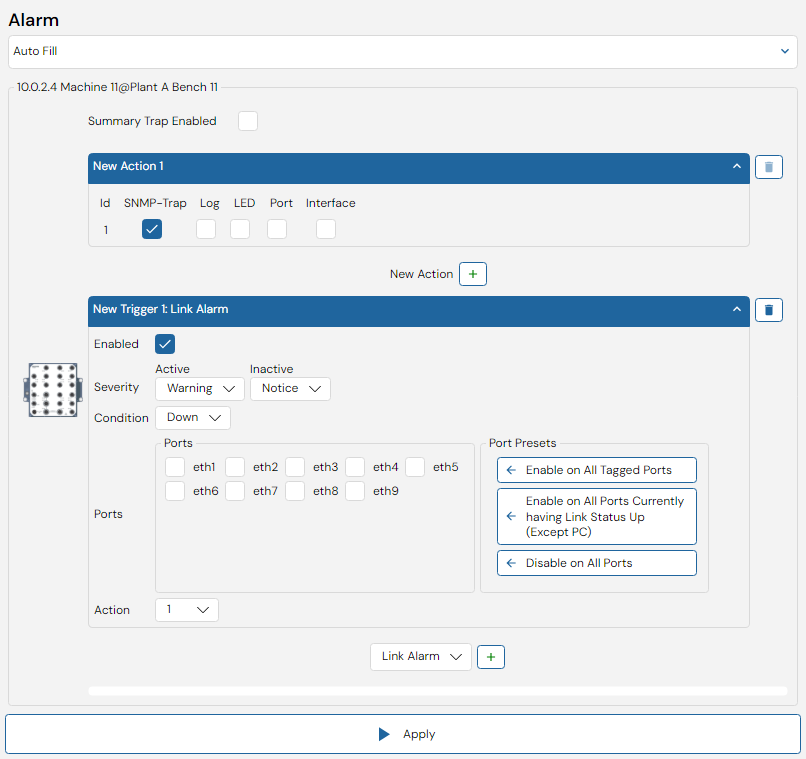
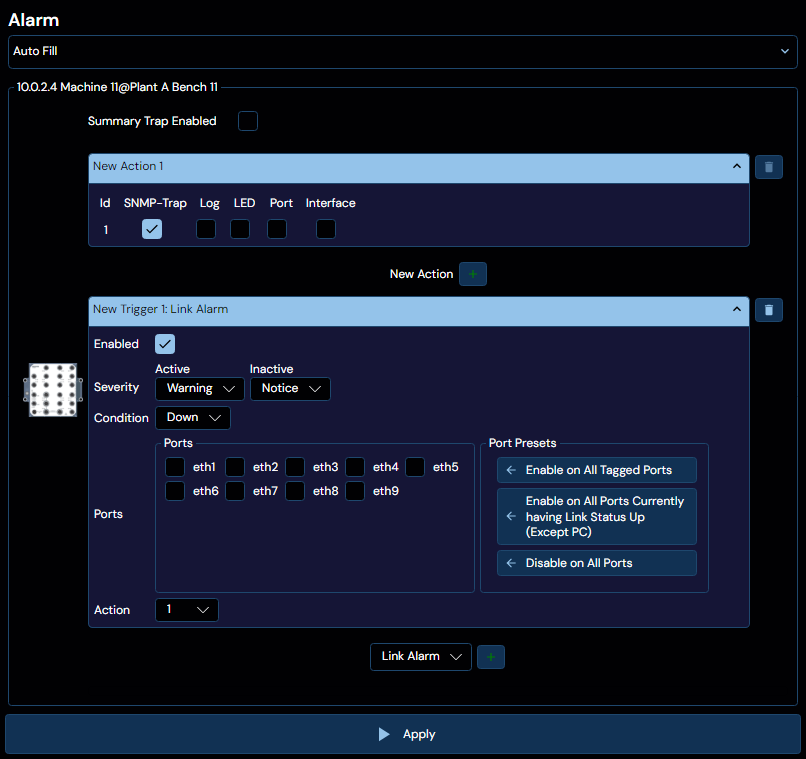
Each device can configure multiple actions and triggers, as well as enable or disable summary trap.
Actions
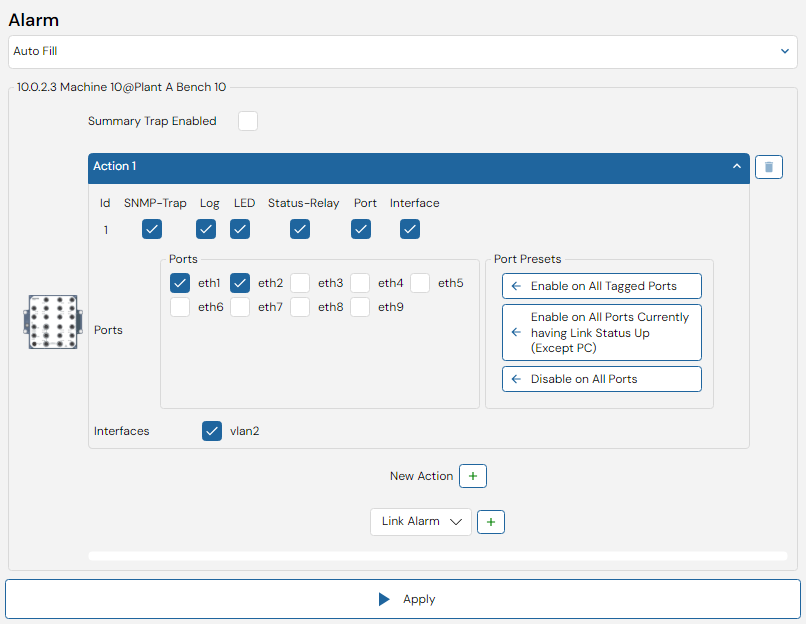
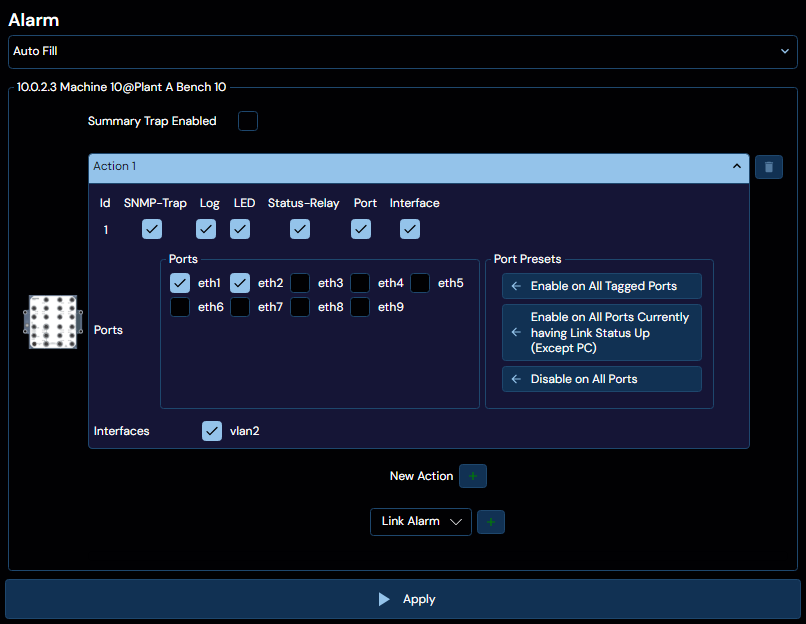
When an alarm event occurs, the operator can be informed in a number of ways. This is defined by a specific alarm action that is associated with any given alarm trigger. The alarm action in turn specify one or more alarm targets that will be used to notify the operator.
The available targets vary depending on the WeOS version
WeOS 4
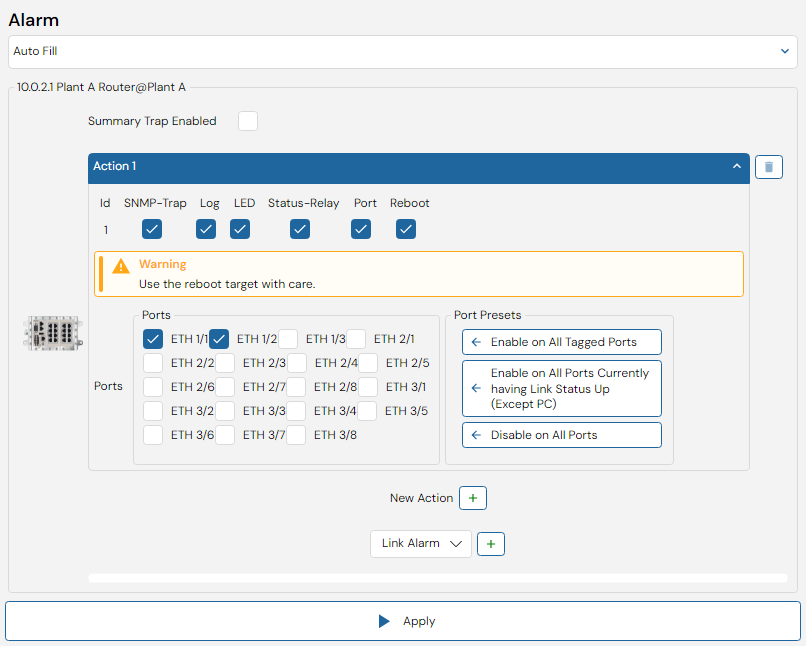
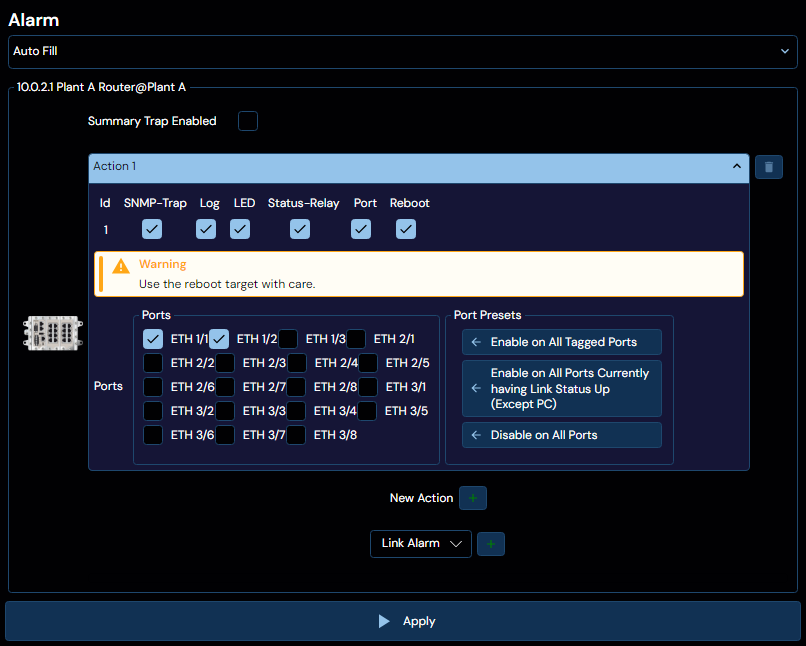
| Target | Description |
|---|
| SNMP-Trap | Generate an SNMP trap |
| Log | Log status change to syslog |
| LED | Set ON/Status LED |
| Status-Relay | Control the status relay (digital out) |
| Port | Control the admin status of a port. |
| Reboot | Reboot the unit. USE WITH CAUTION! |
WeOS 5
| Target | Description |
|---|
| SNMP-Trap | Generate an SNMP trap |
| Log | Log status change to syslog |
| LED | Set ON/Status LED |
| Status-Relay | Control the status relay (digital out) |
| Port | Control the admin status of a port. |
| Interface | Control the admin status of an interface. |
Port selection
There are some presets available to make it easier to select the correct ports. The presets are as follows:
Only presets that are applicable to the current device and configuration will be shown.
| Preset | Description |
|---|
| Enable on All Tagged Ports | Selects all ports that are tagged in at least one VLAN. |
| Enable on All Untagged Ports | Selects all ports that are untagged in at least one VLAN. |
| Enable on All FRNT Ports | Selects all ports that are configured to be part of at least one FRNT ring. |
| Enable on All MRP Ports | Selects all ports that are configured to be part of at least one MRP ring. |
| Enable on All RSTP Ports (Non Admin Edge) | Selects all ports that are configured for RSTP meshing, except those configured as an admin edge. |
| Enable on All Ports Currently having Link Status Up (Except PC) | Selects all ports that are currently up, except if that port connects directly to the configuring PC. |
| Enable on All RiCo uplink ports | Selects all ports that are configured to be RiCo uplink ports. |
| Enable on All Dual-Homing uplink ports | Selects all ports that are configured to be Dual-Homing ports. |
| Disable on all Ports | Deselects all ports |
Triggers
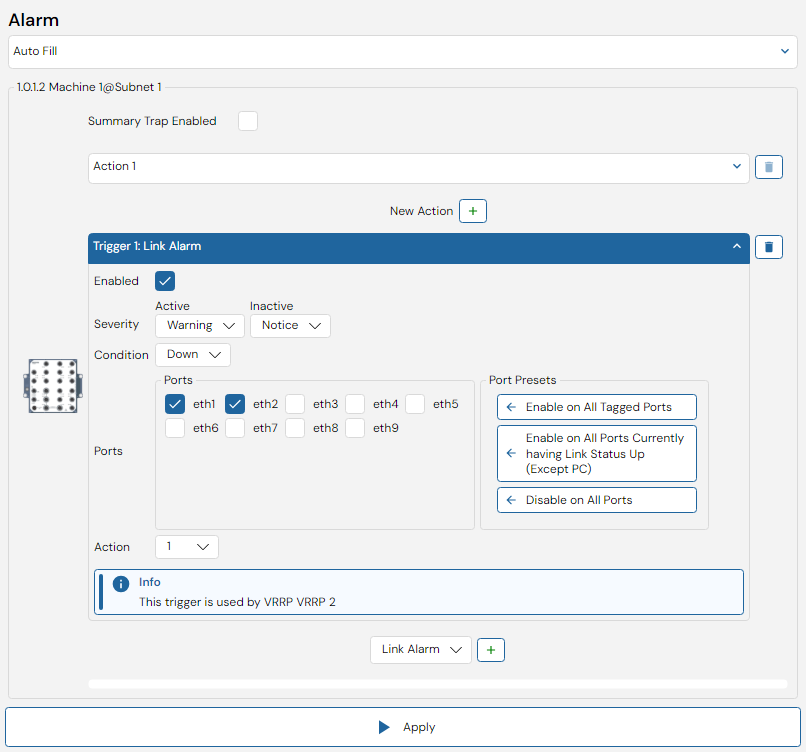
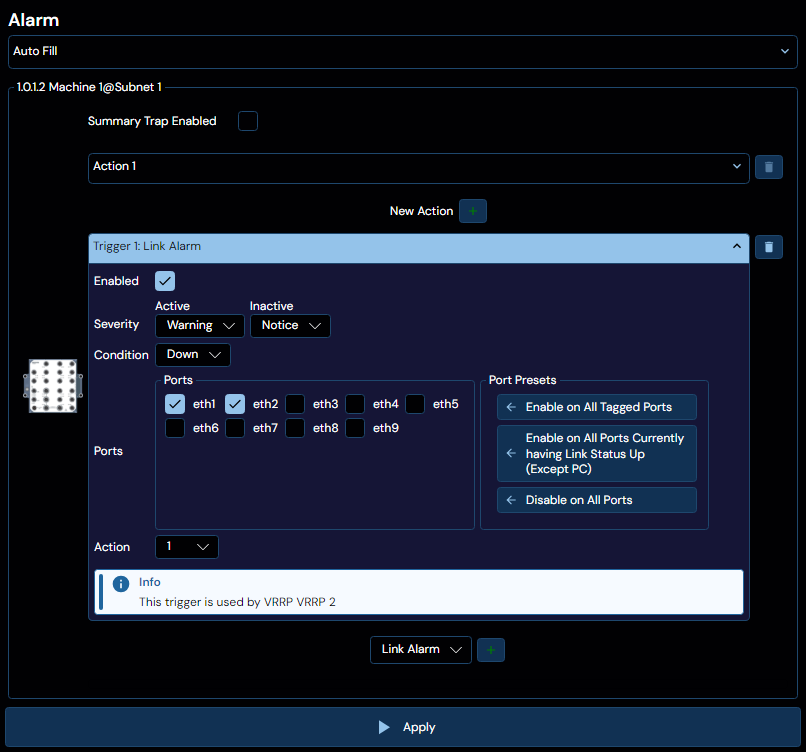
An alarm trigger will monitor a provided alarm source and define the conditions for when specific alarm events occur, in other words, when the trigger becomes active (alarm situation) or inactive (normal operation).
Exactly which triggers are available depends on the device. The list you see in WeConfig is based on the list of supported trigger types the devices themselves provide.
These are all the triggers that WeConfig currently supports:
Common parameters
All triggers have a set of common parameters:
| Parameter | Description |
|---|
| Enabled | Enables or disables the trigger. |
| Active Severity | Specify the severity level of active alarm events detected by this trigger. |
| Inactive Severity | Specify the severity level of inactive alarm events detected by this trigger. |
| Action | The action to be invoked when this trigger detects an alarm event. |
Severity levels are defined as follows:
| Severity Level | Description |
|---|
| Emergency | System is unusable |
| Alert | Action must be taken |
| Critical | Critical conditions |
| Error | Error conditions |
| Warning | Warning conditions |
| Notice | Significant condition |
| Info | Informational message |
| Debug | Debug-level message |
| None | No severity |
| * | |
Address Conflict
Only one address conflict trigger per interface can be configured.
| Parameter | Description |
|---|
| Interface | A valid vlan interface |
| Interval | Preferred sample interval in seconds (1-300) |
Ddm Bias Current
| Parameter | Description |
|---|
| Condition | Define whether the HIGH or LOW trigger state should be considered the alarm state, while the other is considered the normal state. |
| Threshold | Alarm events will be generated when reaching the rising threshold on the way up, and the falling threshold on the way down. |
| Ports | The ddm port(s) to trigger alarm on |
Ddm Rx Power
| Parameter | Description |
|---|
| Condition | Define whether the HIGH or LOW trigger state should be considered the alarm state, while the other is considered the normal state. |
| Threshold | Alarm events will be generated when reaching the rising threshold on the way up, and the falling threshold on the way down. |
| Ports | The ddm port(s) to trigger alarm on |
Ddm Temperature
| Parameter | Description |
|---|
| Condition | Define whether the HIGH or LOW trigger state should be considered the alarm state, while the other is considered the normal state. |
| Threshold | Alarm events will be generated when reaching the rising threshold on the way up, and the falling threshold on the way down. |
| Ports | The ddm port(s) to trigger alarm on |
Ddm Tx Power
| Parameter | Description |
|---|
| Condition | Define whether the HIGH or LOW trigger state should be considered the alarm state, while the other is considered the normal state. |
| Threshold | Alarm events will be generated when reaching the rising threshold on the way up, and the falling threshold on the way down. |
| Ports | The ddm port(s) to trigger alarm on |
Ddm Voltage
| Parameter | Description |
|---|
| Condition | Define whether the HIGH or LOW trigger state should be considered the alarm state, while the other is considered the normal state. |
| Threshold | Alarm events will be generated when reaching the rising threshold on the way up, and the falling threshold on the way down. |
| Ports | The ddm port(s) to trigger alarm on |
DigIn
Triggers on the presence of input voltage/current on the Digital-In pins of the Digital I/O connector.
| Parameter | Description |
|---|
| Condition | Define whether the HIGH or LOW trigger state should be considered the alarm state, while the other is considered the normal state. |
| Sensors | Which sensor to trigger alarm on. If the device only have one sensor, then that sensor will be selected and this option is not visible |
Frnt
Triggers when an FRNT ring is broken or healed (intact).
As of WeOS 5.21: This is a deprecated trigger, use the Ring trigger instead!
Only an FRNT focal point can determine the ring status with certainty.
| Parameter | Description |
|---|
| Condition | Define whether the UP or DOWN trigger state should be considered the alarm state, while the other is considered the normal state. |
| Ring Id | Which FRNT ring id to trigger alarm on |
Lff
| Parameter | Description |
|---|
| Condition | Define whether the UP or DOWN trigger state should be considered the alarm state, while the other is considered the normal state. |
| Ports | The dsl port(s) to trigger alarm on |
Link Alarm
Triggers when the status of a link changes (goes up or down).
| Parameter | Description |
|---|
| Condition | Define whether the UP or DOWN trigger state should be considered the alarm state, while the other is considered the normal state. |
| Ports | The port(s) to trigger alarm on |
Triggers if the external media device (USB or SD card) is available or unavailable.
| Parameter | Description |
|---|
| Condition | Define whether the Available or Unavailable trigger state should be considered the alarm state, while the other is considered the normal state. |
| Interval | The interval (seconds) between checks |
Triggers if the used space on the media device (USB or SD card) exceeds the configured threshold.
| Parameter | Description |
|---|
| Interval | The interval (seconds) between checks |
| Threshold | The threshold to trigger the alarm at. In Percent, Kilobytes, Megabytes, or Gigabytes |
MicroLok
| Parameter | Description |
|---|
| Condition | Define whether the HIGH or LOW trigger state should be considered the alarm state, while the other is considered the normal state. |
Mrp
| Parameter | Description |
|---|
| Condition | Define whether the HIGH or LOW trigger state should be considered the alarm state, while the other is considered the normal state. |
Ping
A connectivity checker, sends an ICMP ping in a configurable interval.
| Parameter | Description |
|---|
| Condition | Define whether the UP or DOWN trigger state should be considered the alarm state, while the other is considered the normal state. |
| Peer | The host to test the connectivity against. |
| Outbound | Use to force ping to use a specific interface, IP Address (if supported), or Default Gateway |
| Interval | The interval (seconds) between ICMP Pings |
| Trigger level | The number of ICMP ping that should be lost (or received) to determine if a host is unreachable (or reachable). |
| Initial state | The inital alarm state of the trigger |
PoE
Triggers when the total power usage raises above (or falls below) a configured threshold.
| Parameter | Description |
|---|
| Condition | Define whether the HIGH or LOW trigger state should be considered the alarm state, while the other is considered the normal state. |
| Utilization Threshold | Alarm events will be generated when reaching the rising threshold on the way up, and the falling threshold on the way down. |
Power
Triggers when the temperature rises above (or falls below) some defined threshold.
| Parameter | Description |
|---|
| Condition | Define whether the UP or DOWN trigger state should be considered the alarm state, while the other is considered the normal state. |
| Sensors | Which sensor to trigger alarm on. If the device only have one sensor, then that sensor will be selected and this option is not visible |
Profinet
| Parameter | Description |
|---|
| Condition | Define whether the HIGH or LOW trigger state should be considered the alarm state, while the other is considered the normal state. |
RiCh
| Parameter | Description |
|---|
| Condition | Define whether the HIGH or LOW trigger state should be considered the alarm state, while the other is considered the normal state. |
RiCo Uplink
Triggers when the total power usage raises above (or falls below) a configured threshold.
| Parameter | Description |
|---|
| Condition | Define whether the UP or DOWN trigger state should be considered the alarm state, while the other is considered the normal state. |
| Ports | The port(s) to trigger alarm on |
Ring
Triggers when an ring is open or closed (intact)
| Parameter | Description |
|---|
| Condition | Define whether the UP or DOWN trigger state should be considered the alarm state, while the other is considered the normal state. |
| Protocol | Which ring protocol to configure the trigger for (FRNT, MRP, HSR, PRP) |
| Ring Id | Which ring id to trigger alarm on |
RioCgi
| Parameter | Description |
|---|
| Condition | Define whether the HIGH or LOW trigger state should be considered the alarm state, while the other is considered the normal state. |
| Pattern | The pattern to match |
| Query | The query for trigger |
| Initial state | The inital alarm state of the trigger |
Snr Margin
| Parameter | Description |
|---|
| Condition | Define whether the HIGH or LOW trigger state should be considered the alarm state, while the other is considered the normal state. |
| Snr Threshold | Alarm events will be generated when reaching the rising threshold on the way up, and the falling threshold on the way down. |
| Ports | The dsl port(s) to trigger alarm on |
Storm Detect
| Parameter | Description |
|---|
| Threshold | Alarm events will be generated when reaching the rising threshold on the way up, and the falling threshold on the way down. |
| Persitent | Optional timeout (in seconds) |
| Traffic type(s) | Broadcast, Multicast, and/or Unicast |
| Ports | The port(s) to trigger alarm on |
Temperature
Triggers when the temperature rises above (or falls below) some defined threshold.
| Parameter | Description |
|---|
| Condition | Define whether the HIGH or LOW trigger state should be considered the alarm state, while the other is considered the normal state. |
| Temperature Threshold | Alarm events will be generated when reaching the rising threshold on the way up, and the falling threshold on the way down. |
| Sensors | Which sensor to trigger alarm on. If the device only have one sensor, then that sensor will be selected and this option is not visible |
Timer
Goes off at given time interval.
| Parameter | Description |
|---|
| Timeout | At what time during the day should the trigger go off? |