Licensing
Licensing is a task that allows for importing or removing MRP licenses from WeOS devices.
Interface Components
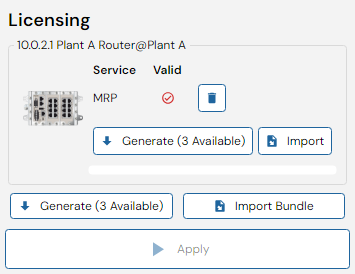
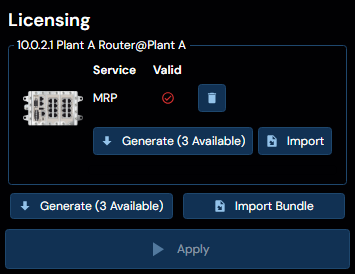
Licenses can be managed for the selected devices, either separately by clicking the "Import" button or as a bundle by clicking "Import bundle". A bundle contains licenses for multiple devices.
Additionally, licenses can be created through the self-service licensing feature by clicking the "Generate" button.
Only WeOS 4.23 or above is supported.
MRP Self-Service Licensing
WeConfig can obtain MRP (Media Redundancy Protocol) licenses for devices directly through the Westermo web service, removing the need to manually download and import license files.
When initiating an MRP license request, WeConfig identifies the device by its serial number and article number, then contacts the Westermo licensing server to retrieve a valid license. A quota system controls how many licenses can be issued under a given license, with the remaining quota being displayed in the interface.
An active internet connection is required for generating MRP licenses, as WeConfig communicates with the Westermo web service to obtain licenses.
However, once a license has been generated, it is stored locally on the machine running WeConfig, as well as in the project file. This allows for offline installation of the license on devices, as WeConfig can apply the locally cached license file to the device without needing to contact the web service again.
Error Conditions
The following errors may occur during the licensing process:
| Error | Description |
|---|---|
| Serial number not found | WeConfig could not identify the serial number of the selected device. |
| Article number not found | WeConfig could not identify the article number of the selected device. |
| No local license | No cached MRP license was found on the device to derive a license from. |
| Insufficient quota | The quota for licenses under the current license has been exhausted. |
| No valid license returned | The web service did not return a valid license for what was presumed to be a valid request. Contact Westermo support. |