Ethernet
Ethernet is a task that allows for configuration of Ethernet ports enabled/disabled status, speed/duplex as well as Egress and Ingress limitations.
Interface components
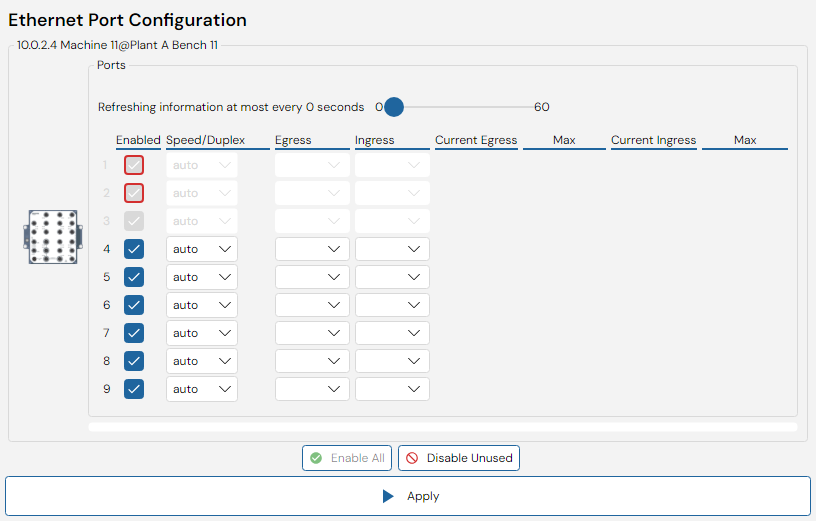
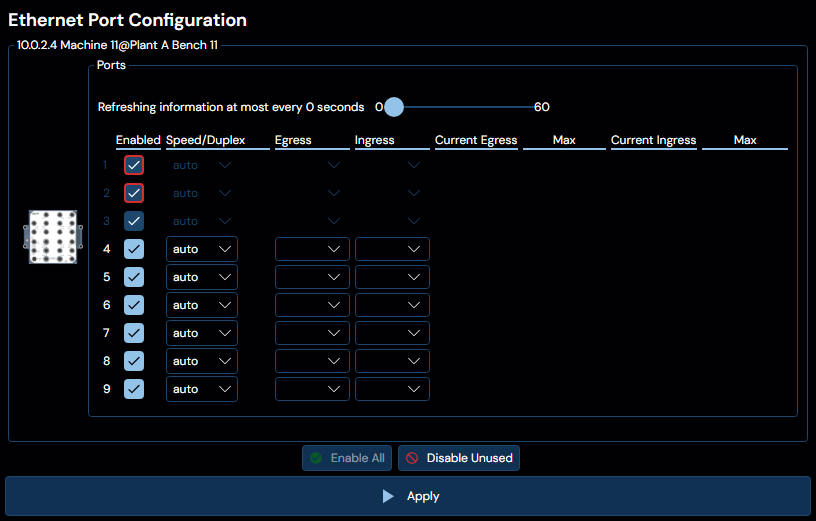
The user interface of this panel consist of a list of selected devices, where each device contains a list of ports. Additionally, above the port list of each device is a slider that will allow you to determine how often the data in the Current/Max Egress and Current/Max Ingress columnms is collected. The list of ports contains multiple columns, as follows:
Enabled
The first column indicates / allows you to configure whether the port is enabled or not.
The button at the bottom of the interface with the content "Disable Unused" will disable all ports that are not currently electrically up.
The button at the bottom of the interface with the content "Enable All" will enable all ports on all selected devices.
Speed/Duplex
On supported devices, this column will contain a combobox that allows you to selected the desired speed/duplex.
For WeOS 5 devices several speed/duplex can be selected. To select Auto negotiation, just select this option in the same combo box.
Egress
This column allows you to specify an Egress limit from a prepared list of supported limits offered by the device.
Ingress
This column allows you to specify an Ingress limit from a prepared list of supported limits offered by the device. Additionally, selecting a limit here will show four additional checkboxes as seen in the image above. These are detailed in the table below:
| Checkbox | Description |
|---|---|
| All | All Traffic |
| BC | MAC Broadcast FF:FF:FF:FF:FF:FF |
| MC | MAC Multicast (2n+1):**:**:**:**:** |
| U-Uni | MAC unicast (2n):**:**:**:**:** |
Current/Max Egress & Ingress
Finally, the last four columns in the list are dedicated to a live observation of the data flowing through the ports. This data is collected at a rate determined by the slider above the port list, and operates by retrieving the number of bytes flowing through each port from each device, and calculating the average over the polling time. It also keeps track of the maximum observation recorded. This data acquistion will run for as long as the panel is open, and will cease if the slider is dragged down to 0.