Virtual Router Redundancy Protocol (VRRP)
Virtual Router Redundancy Protocol (VRRP) is a licensed task that allows for configuration of VRRP on selected devices. VRRP is a standard protocol that is used to provide automatic assignment of available routers to its participating hosts. The current set of devices support by this task is WeOS 4 and WeOS 5 devices.
Read more about VRRP in the WeOS documentation.
Interface components
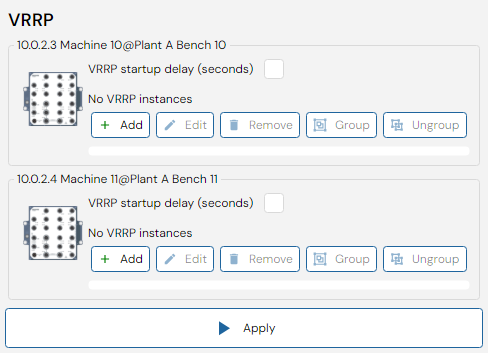
Add or Edit VRRP Instance
These are the common parameters for both WeOS4 and WeOS5:
| Parameter | Description | Allowed Values |
|---|---|---|
| Enabled | Should this VRRP instance be enabled? | |
| Interface | The interface on which to listen for VRRP information and act as gateway | |
| Virtual Router ID | A unique ID common to those routers that will provide redundancy. | 1-255 |
| Virtual Address | A virtual address that the routers will use when providing the gateway support. The address should be in the same IP subnet as the regular IP address assigned to the interface | |
| Version | VRRP version to use (v2 or v3). Changing this will change what options are available. | |
| Advertisement Interval | The interval in seconds how often a VRRP advertisement message will be sent out. | v2: 1-255; v3 (WeOS4): 0.1-40; v3 (WeOS5): 0.01-40 |
| Priority | A number used for election of current gateway. A higher number means a higher chance to become elected. If two routers has the same priority in an election, the router with the highest IP address will win. The value 255 should be used if (and only if) the router is also the owner of the virtual IP address. | 1-255 |
| Preemption | Preempt existing router of lower priority, with optional delay. | 0-1000 |
| Dynamic Priority | The alarm trigger selected will, if triggered, add the priority adjustment value to the router priority. Can not be used if the VRRP instance is part of a VRRP Group. |
WeOS4
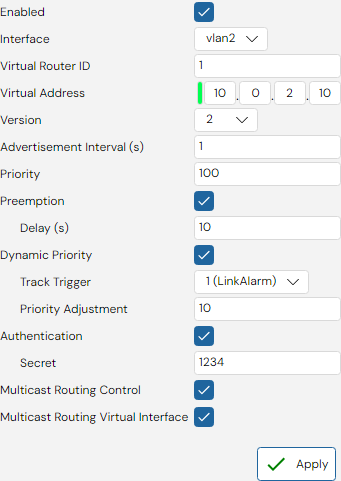
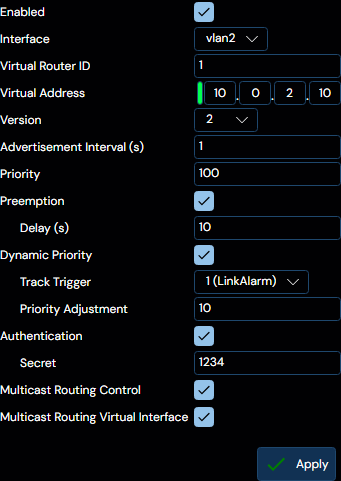
These parameters are only available for WeOS4 devices:
| Parameter | Description | Allowed Values |
|---|---|---|
| Authentication | Simple clear-text authentication is supported for VRRP version 2. | 4-7 characters. ASCII characters 33-126, except # |
| Multicast Routing Control | Disable multicast routing when in BACKUP state. Only one VRRP instance per interface may be configured for controlling multicast routing. | |
| Multicast Routing Virtual Interface | Disable multicast routing for virtual VRRP interface in BACKUP state |
WeOS5
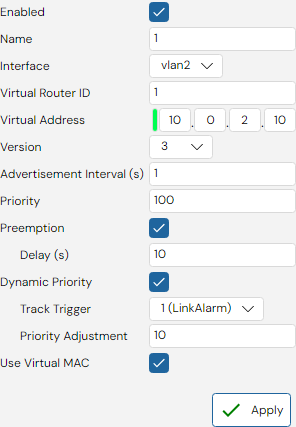
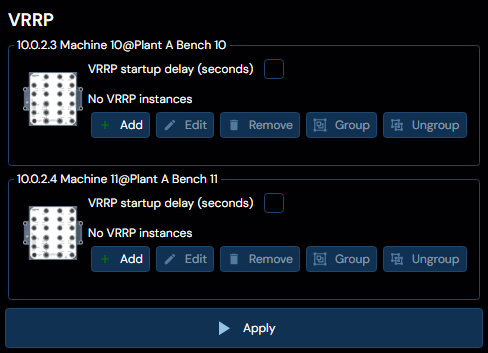
WeOS5 supports the option to add a VRRP Startup Delay. This is useful in order to wait for slow interfaces or other services. The setting applies to all VRRP instances.
These parameters are only available for WeOS5 devices:
| Parameter | Description | Allowed Values |
|---|---|---|
| Name | Unique Name of the VRRP instance. | Alpha-numerical (no spaces, no special characters) |
| Use Virtual MAC | Create and/or use a virtual interface for VRRP. Uses the VRRP MAC address. |
Grouping
VRRP instances can be grouped together to allow for synchronized failover. Select two instances (by Ctrl-clicking) and then click the Group button to create a new group.)
To ungroup, select one or more members of a group and then click the Ungroup button.
Context Menu Option
It is also possible to quickly setup VRRP from the Context Menu by selecting two routers and then selecting Create Virtual Router