SHDSL Reach Calculator
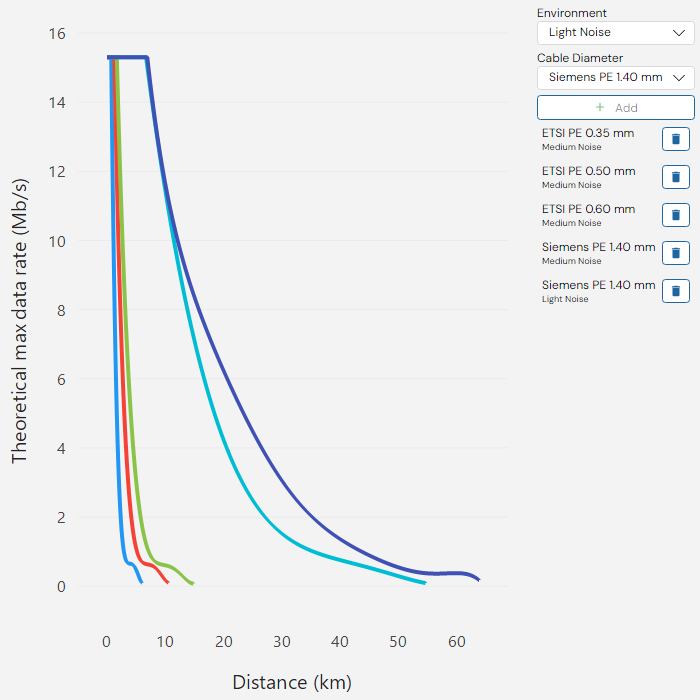
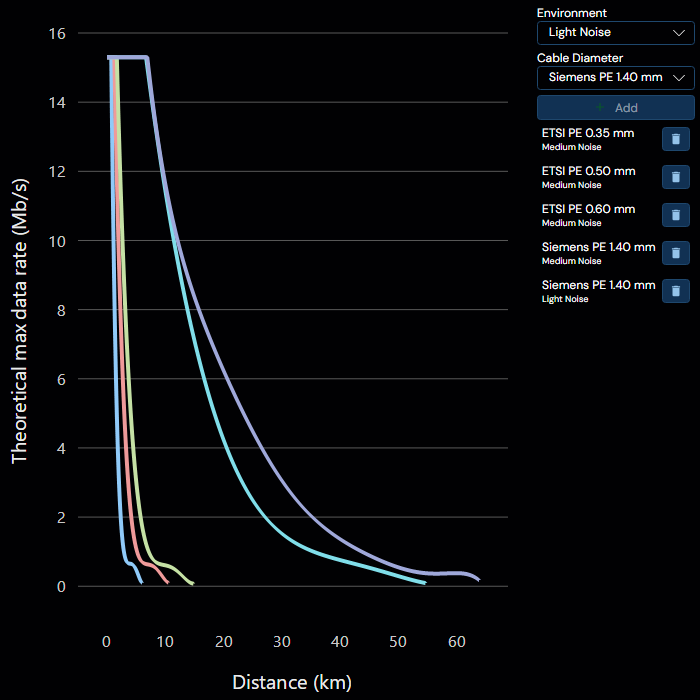
This panel allows you to explore indicative signal attenuation and data rates for the two parameters, environment and cable.
Select a combination of environment and cable parameters in the dropdown menu to the right and click Add. The combination will then be charted in the main graph of the panel.
The Y axis represents a theoretical maximum data rate in Mb/s, and the X axis represents distance in kilometres. To remove a graph line, click the associated Delete (Trashcan) button below the dropdown menus and add button.