Devices
The devices panel is a secondary way of visualizing the network in WeConfig, where devices are ordered in a grid-list with some properties on display. Depicted below is an example of a populate device list including WeOS, Ibex, Xrd and Merlin Devices.
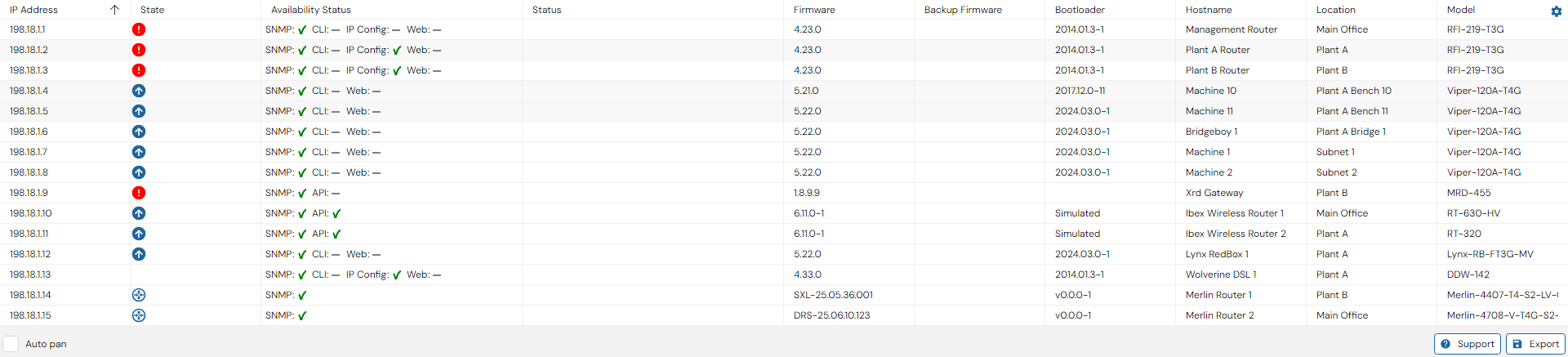
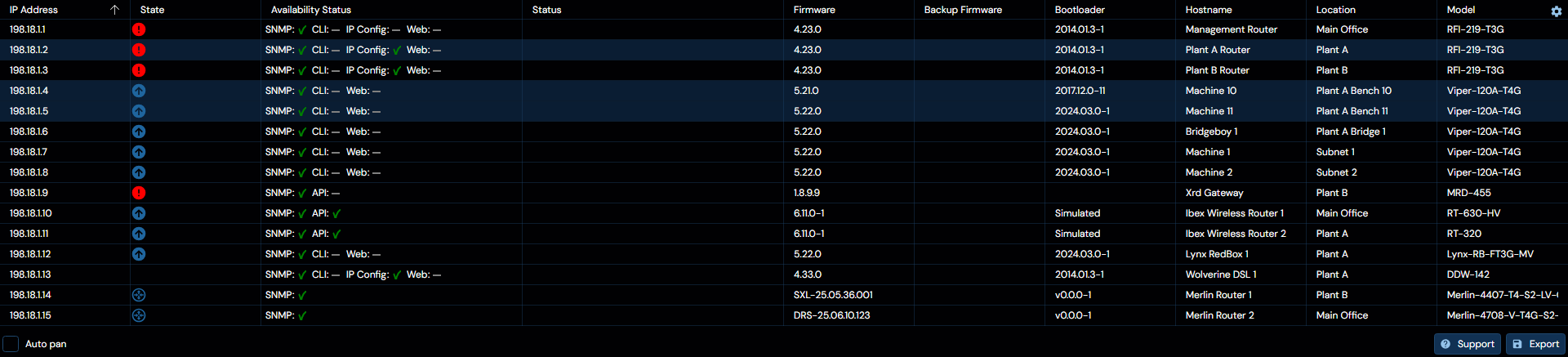
Selection in this panel will be mirrored in the topology.
There are several details of note within this panel:
Columns
Headers
Some headers can be clicked, and the default behavior for doing so is to order the grid-list by the value of the columns associated with the header, if clicking the header does not sort the list, it indicates that the column does not contain sortable values. Additionally, hovering over a header may reveal a filter button, which can be used to filter the list according to desired properties.
IP Address
This column presents the primary / management IP address associated with the device.
Netmask
This column presents the subnet mask associated with the device's primary / management IP address.
MAC Address
This column presents the base MAC address associated with the device.
State
This column is a mirror of the icons found above the devices in the topology panel
Availability status
This column presents a collection of status indicators:
| Indicator | Meaning |
|---|---|
| Check mark | Good |
| Cross | Bad /Failed |
| - | Unknown |
The following entries may appear:
| Entry | Explanation | Applicable to |
|---|---|---|
| Web | The status of the latest attempt at communicating with the device via HTTP(S) | Any |
| SNMP | The status of the latest attempt at accessing the device via SNMP | Any |
| Ping | The status of the latest ICMP ping sent towards the associate management IP address | Any |
| CLI | The status of the latest attempt at accessing the device via SSH | WeOS |
| IP Config | The status of the latest attempt at communicating with the device via IP-config | WeOS 4 |
| API | The status of the latest attempt at accessing the device via it's specific API | XRD, IBEX |
Status
This column presents any current status messages associated with the device, and may indicate if a specific device has encountered an error.
Configuration hash
This column presents the hash of the current configuration detected on the device, if any.
Firmware
This column presents the current primary firmware version detected on the device, if any.
Backup Firmware
This column presents the current backup firmware version detected on the device, if any.
Bootloader
This column presents the current bootloader version detected on the device, if any.
FRNT
This column presents the current FRNT status of the device, if any.
Hostname
This column presents the known configured hostname, if any, associated with the device.
Location
This column presents the known configured location, if any, associated with the device.
Model
This column presents the identified specific model, if any, associated with the device.
Backup
This column presents the last backup time of the device, if any.
Family
This column presents the family to which the device belongs, if any.
Auto pan
Located at the bottom left of the panel, when checked, selection originating within this panel will send a request to the topology panel, if active, to move its focus to the selected devices.
Export
Located at the bottom right of the panel. Clicking this button will open up a dialog to export the grid-list into a .csv format file.
Support
Located to the left of the Export button. Clicking this button will download the tech support files from the selected devices.